Log in
Skip to sidebar
Skip to main content
Spaces
Hit enter to search
Help
Online Help
Keyboard Shortcuts
Feed Builder
What’s new
Available Gadgets
About Confluence
Log in
iSpring LMS
Pages
Page tree
Browse pages
Configure
Space tools
A
t
tachments (0)
Page History
Export to PDF
Export to Word
Export to HTML
Page Information
Resolved comments
View in Hierarchy
Delete comments
View Source
Export to PDF
Export to Word
Pages
…
iSpring LMS
Configurações
Opções adicionais
Skip to end of banner
Jira links
Go to start of banner
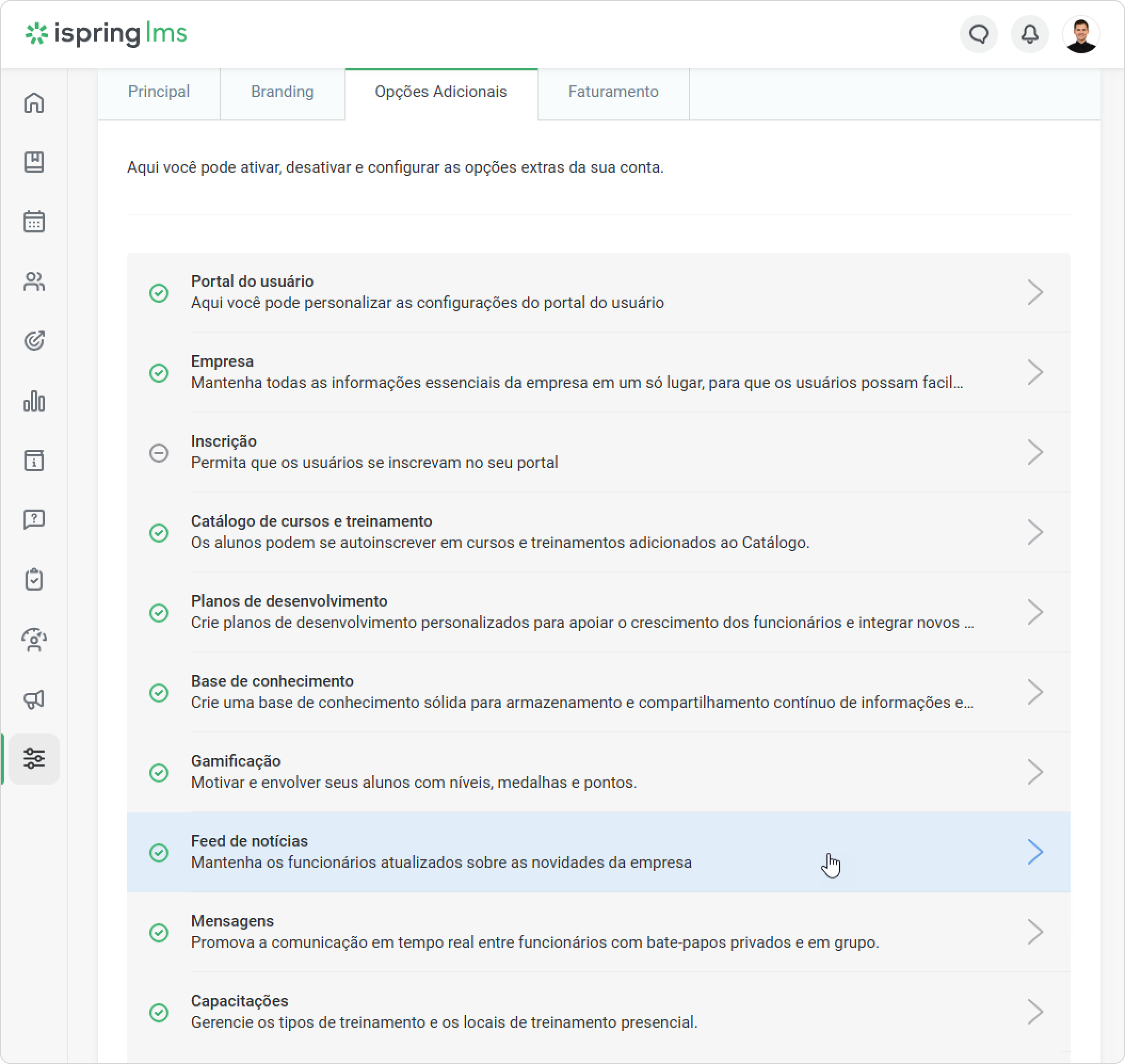
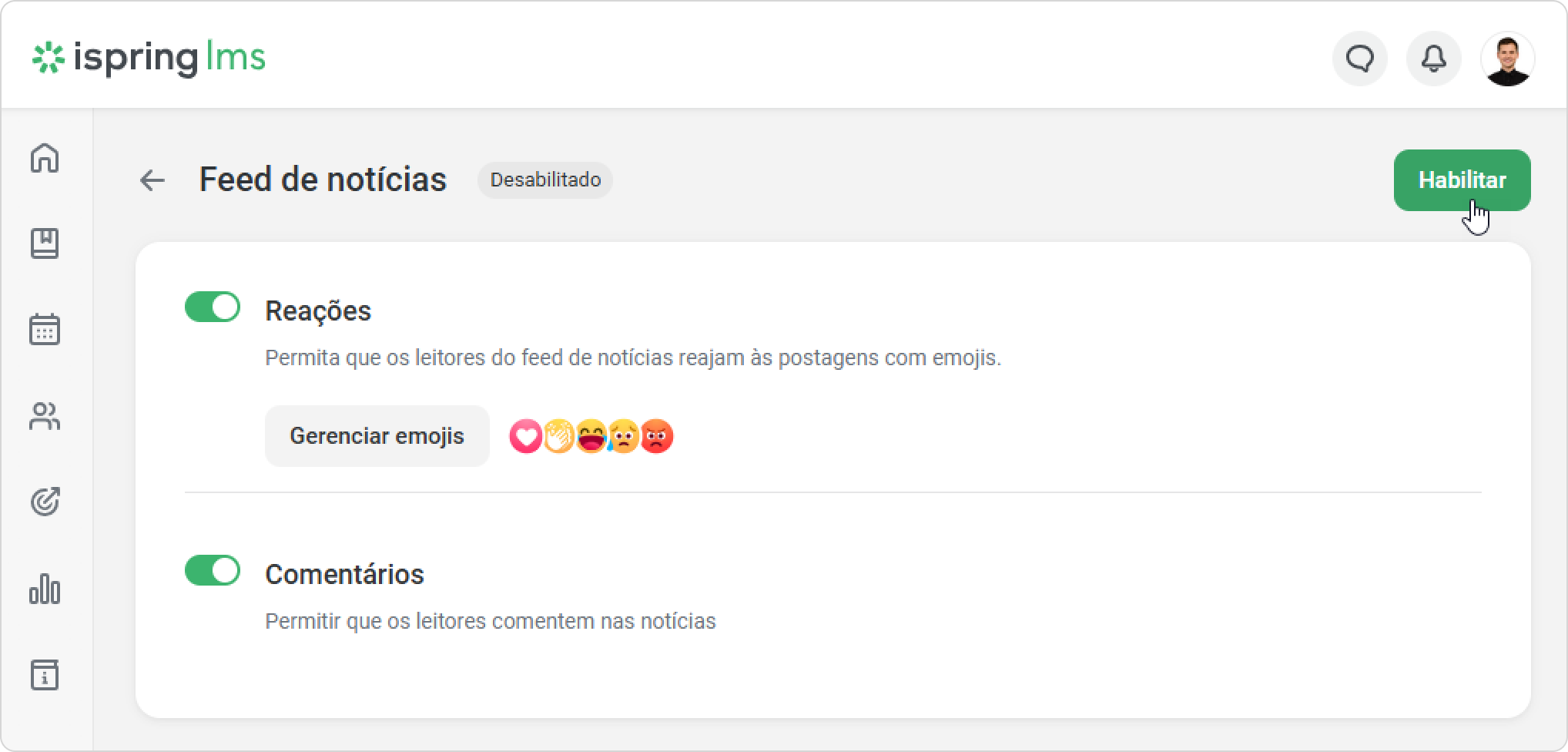
Como habilitar o feed de notícias
Created by
sofia.grineva
, last modified on
Sep 01, 2026
Vá para
Configurações
e selecione a guia
Opções Adicionais
.
Clique em
Feed de notícias
.
Ative o
Feed de notícias
.
No labels
Overview
Content Tools
{"serverDuration": 117, "requestCorrelationId": "cc271a711d8ed5da"}