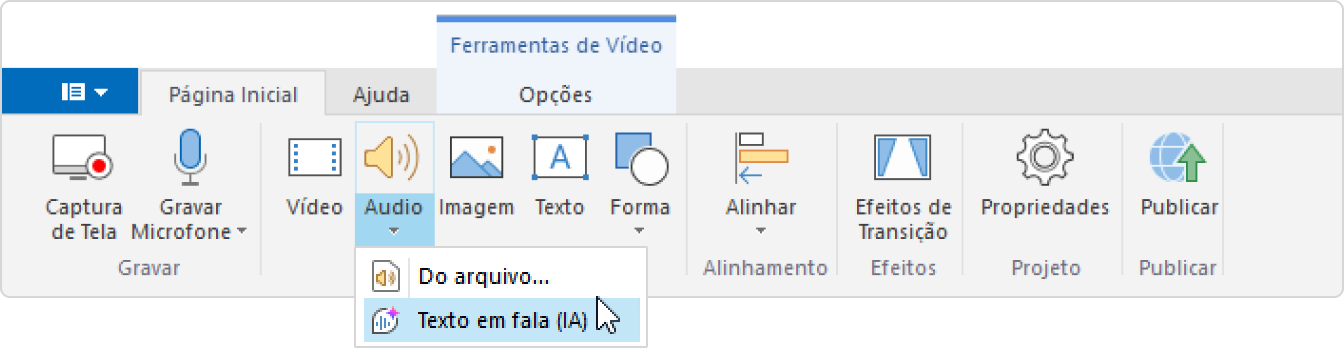
- Abra o projeto no iSpring Cam Pro e clique em Áudio > Texto em fala (IA).
- Em seguida, selecione o idioma e a voz.
- Em seguida, insira o texto que deseja converter em fala e marque Editor SSML.
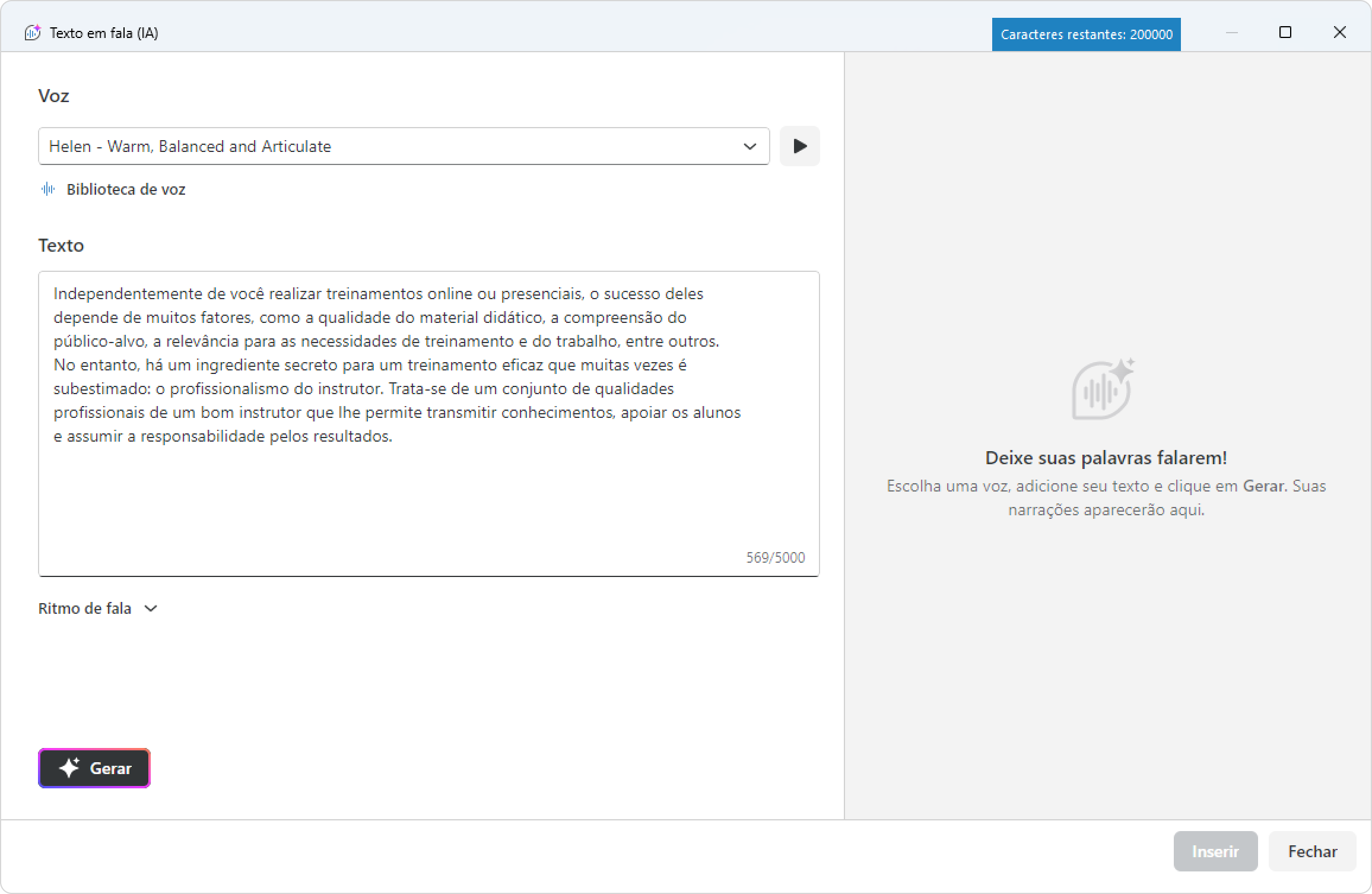
As tags <speak> ... </speak> aparecerão no início e no fim do texto.
Este é um par de tags obrigatório para o SSML funcionar. Se quiser adicionar texto, cole-o entre as tags.
Ótimo! Você habilitou o SSML.
Overview
Content Tools